
From Interpreter to Notes Assistant: what's new in Galaxy Ai for Samsung Z Fold 6 and Z Flip 6
We had a preview of the artificial intelligence innovations related to the new foldables. Here are our impressions.

3' min read
3' min read
Let's leave design and hardware aside for a moment (also because we talk about it here) and focus on software and user experience to understand what these super-smartphones enhanced with generative artificial intelligence really do. A foreword: Samsung was among the first to agree with Google to bring their generative artificial intelligence on board. In addition, they have in-house Gauss Language, a generative language model designed to assist in tasks such as writing emails and documents. What they have achieved with the new Galaxy Fold and Flip is an intelligent optimisation of what they presented. No revolution but incremental innovation that seems small but actually has a big impact on the user experience. We touched on some of these features during a preview.
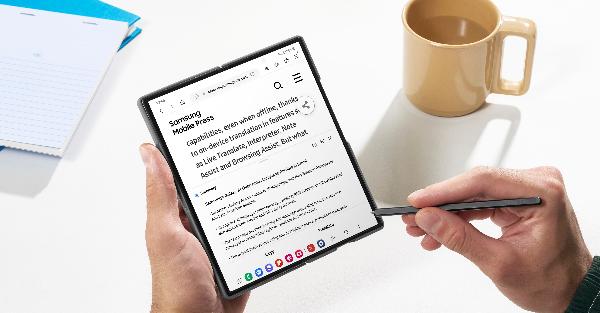
How is Note Assistant on Samsung Notes
.Let's start by saying that the Galaxy Flip6 is equipped with many of the AI functions also present on the Galaxy Z Fold. Let's start with Notes, which is the most compelling. It offers translations, summaries and automatic formatting for meeting notes. It uses Gauss and it all happens on-device, i.e. without an external connection. What's new is that, with the larger screen, you have the possibility to make better use of the new built-in transcription function that enables written playback, translation and summarisation of voice recordings directly in Notes. This means that texts in PDF files can be translated and overlaid when opening the file via the PDF overlay translation function in Notes.
The new Samsung keyboard composer feature
.Again, AI is built into Samsung's keyboard. Nothing particularly new: it generates suggested text based on simple keywords for e-mails and social media apps such as Gmail and Instagram. But what is interesting is that every time you activate the keyboard you can also generate text with a short prompt or by selecting text. The tool looks well done, you can, for example, choose the tone, correct spelling and in some cases customise the style to generate texts that are consistent with your style.
What is Draft on Image?
.As you know, the Galaxy Z supports the stylus. The S Pen now, when you select a text, suggests how to activate AI functions, such as translation. Very interesting is the Sketch on Image function. When you make a sketch or drawing on the screen, Sketch to Image will generate several options for creating an image. For example, you can add a cap with your finger and it will draw it. Styles are defined and this is an advantage. And the software also works well with PowerPoint. You can start from individual photos, standardise them with a defined style and then use them for a presentation. Everything looks very smooth on the Galaxy Z Fold.
The new design for Interpreter
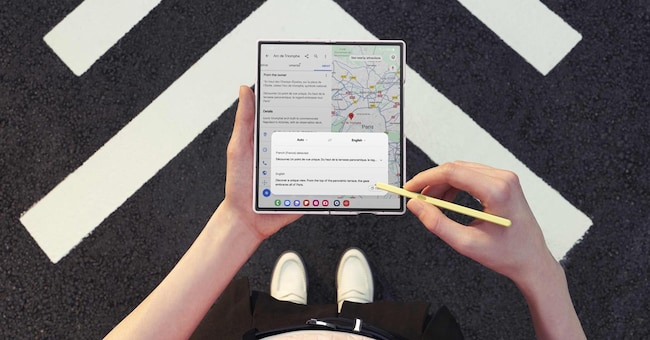
.An interesting function that works offline is Interpreter. You download the language pack and it allows you to show your interlocutor the text translation with the external screen. Basically, you put your smartphone in the middle and conduct a conversation. In this way, both parties can conveniently view the translations on the main screen and the external display. In this sense, the Fold Z 6 can be used for translations during lectures or any other type of presentation.


