
What can Canvas do for Gemini?
Google introduces a new collaboration tool with the potential of Gemini to create documents, reports and code snippets within a single interactive space

2' min read
2' min read
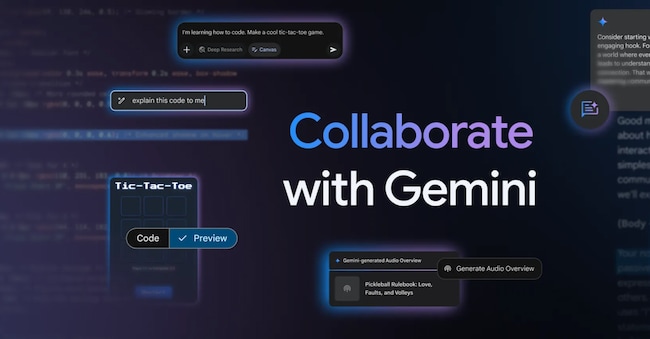
The field of artificial intelligence is constantly evolving, and interesting innovations that promise to revolutionise the way we work and produce content are being presented on a daily basis. Among the most recent announcements, for instance, is Canvas: a new function introduced by Google within Gemini last March, which provides users with a valuable tool for collaborating with artificial intelligence in order to create new content, refine existing documents, or generate development code from a simple idea.
With this novelty, therefore, the Mountain View giant's multimodal artificial intelligence model offers considerable support for producing higher quality drafts of texts, brainstorming sessions, and obtaining suggestions from the Ai much more quickly: Canvas, in fact, offers the possibility of editing entire texts or only specific sections by changing the tone of voice, formatting, adding new paragraphs, or modifying the length so that it can be more or less formal, synthetic or detailed, depending on the different needs.
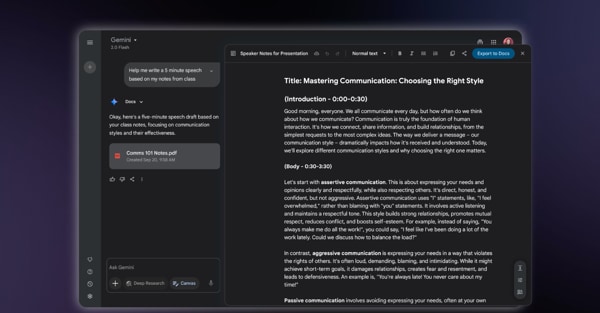
Also useful for developers, the new function is able to transform simple ideas into functioning software prototypes in a very short time, whether they are web apps, Python scripts, video games or interactive apps: simply describe the purpose of the application you want to create and Gemini will produce the code necessary for it to function correctly using the most relevant programming languages and, finally, allowing previews to be shared with other users. For example, Canvas allows you to create and preview HTML/React code and other web application prototypes by providing a visual representation of your project, be it a simple contact form, web page layouts, call-to-action buttons and much more, all in a single workspace and without requiring you to go through other software.
According to Google's announcement, Canvas is available worldwide and in all languages for Gemini and Gemini Advanced subscribers. To access the new feature, it is necessary to click on the Canvas button that appears at the bottom of the Gemini prompt bar, when used through a web browser; alternatively, in the official Gemini app available for iOS and Android, by tapping on the icon marked '+' and then selecting Canvas

