
Adobe launches Acrobat Studio: AI that turns PDFs into presentations and podcasts
Productivity and creativity come together in the new platform that promises to revolutionise document work
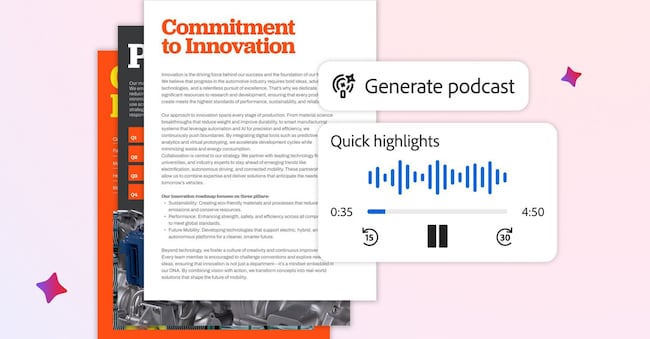
Adobe raises the bar in the world of digital productivity with Acrobat Studio, an integrated solution that combines Acrobat Pro, AI Assistant and Express Premium in a single artificial intelligence-enhanced environment. This is a response to the growing demand for tools that integrate traditional productivity and artificial intelligence capabilities, in a market increasingly crowded with similar solutions, from Microsoft Copilot to Google Workspace with Gemini. A competition that is played out on the ability to make AI useful and decisive in the daily workflow. In this sense, Adobe is banking on the solidity of its ecosystem: Acrobat has been the de facto standard for PDFs for decades, Express has rapidly gained share in accessible design, and integration promises to be smoother than solutions assembled by different providers.
From paper to slides: presentations in one click
The big news is the 'Generate presentation' function, which allows you to create professional presentations in minutes from your PDF documents. The way it works is intuitive: you upload your working materials into the Acrobat PDF Spaces - financial reports, product sheets, competitive analyses, web pages - and ask the AI Assistant to analyse them and generate a targeted presentation. The system does not just extract information: it understands the context, identifies key points and creates a structured outline. The user can choose the length and tone of voice of the presentation, then Acrobat draws on Adobe Express' extensive library of professional templates to propose ready-made designs. Once the preferred style is selected, a complete draft is obtained that can be refined directly in the interface: changing images, adding videos generated or taken from Adobe Stock, modifying fonts and text, animating the final slides. All without leaving the working environment and without the need for advanced design skills.
Document becomes audio: the personalised podcast revolution
There is also the 'Generate podcast' function, designed for those who struggle to digest the daily mass of emails, attachments and links, or need to catch up on missed meetings. The mechanism is simple: you collect notes, transcripts and even voluminous documents in a PDF Space and ask the AI Assistant to synthesise them into a podcast. The result is an audio that can be listened to at the desk, in the car on the way to work and at any other time.
The application does not stop at the professional world. Adobe proposes interesting personal usage scenarios: turn practical guides into audio lessons, create a personalised daily newsletter on local and global events, or condense school newsletters, event calendars and authorisation forms into a weekly update to be listened to on the go. A way to stay organised without devouring mountains of paper.
Intelligent editing: PDF responds by voice
The chat-based AI Assistant introduces a new paradigm in PDF editing. Twelve essential operations - removing pages, text, comments and images, finding and replacing words, adding electronic signatures and passwords - become accessible through natural language commands. No more need to remember where a function is hidden in the menus - just ask for it. The enhanced help panel also offers step-by-step instructions and troubleshooting support via chat, lowering the learning curve.

