
Ai: how Flux.1, the new free image generator, works
Flux.1 is a new Ia image generation model that stands out due to its ability to produce high-quality results, even in the free version. The generator uses rectified flow transformers to create images from text commands. Flux.1 outperforms its competitors in terms of visual quality, precision in following complex prompts and diversity of output
3' min read
3' min read
A new player enters the market of text-to-photo generative Ai, joining much fiercer competitors such as Mindjourney and Stable Diffusion. Developed by Black Forest Labs, Flux.1 is an open source model that, already in its free version, is able to generate images from text commands effectively and quickly by exploiting so-called Rectified Flow Transformers. Of course, in the paid version, it is able to generate images in a more accurate and professional manner, but already the result with the free version does not fall short of expectations.
What is Flux.1 and why is it effective
.According to its creators, the Flux.1 templates set new standards in their respective classes: Flux.1 pro and dev surpass models such as Midjourney v6.0, DALL-E 3 (HD) and SD3-Ultra in each of the following aspects: visual quality, the ability to accurately follow complex prompts, size/aspect variability, typography and output diversity.

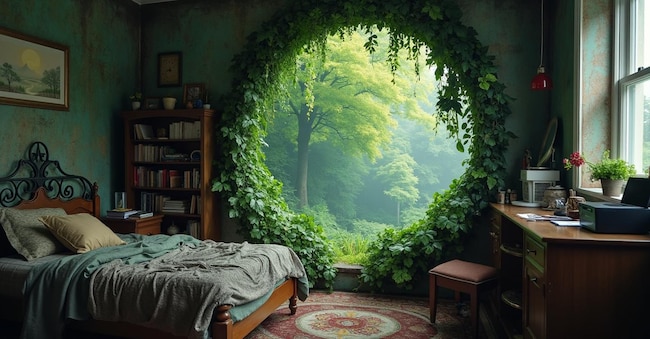
Image 1 (image generated with the Pro version)
Another plus point of Flux.1 is the generation of readable text: according to the developers, with the right prompt one can easily control font, size, colour and positioning of the text. This is one of the most interesting features, as it was only with Stablet Diffusion 3 and Midjourney v6 that the Ai models began to be convincing in this respect.
How to use FLUX.1 AI for free
.There are two ways to use Flux.1 for free image generation. The first is to go to the official site (https://flux1.org) and click on the button that says Get Flux AI. At this point, the page will scroll down to the appropriate box that allows you to create images with Ai. The second is to connect via Huggingface (https://huggingface.co/spaces/black-forest-labs/FLUX.1-schnell), and is definitely the best, as it is faster at generating images. Both offer the possibility of playing with advanced settings and the size of the photo.

-U74343035807bCh-600x313@IlSole24Ore-Web.jpg)

