
AI browsers compared: how ChatGPT Atlas, Neon and Comet revolutionise web browsing
We tested Atlas, Neon and Comet the three most advanced browsers to see if they can really challenge the dominance of Google Chrome

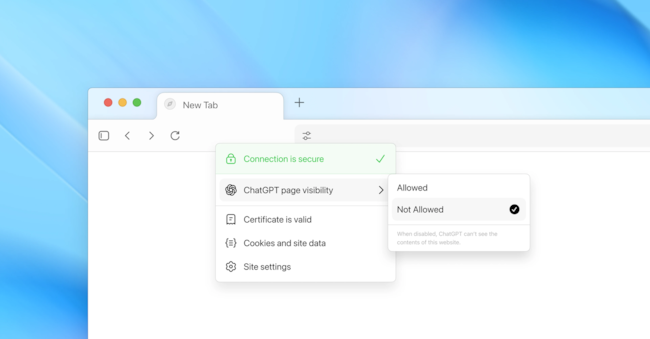
In October, OpenAI launched ChatGPT Atlas, effectively entering the AI browser war. With over 800 million weekly users, the move directly challenges a giant like Google Chrome, which dominates the market with 64.86%. In parallel, Perplexity made the Comet browser free of charge and Opera launched Neon for $20 per month. Only in the US are also Dia from Browser Company and the integration of Gemini in Chrome. The goal is clear: to change the ingrained habits of users, bringing language patterns everywhere - searching, booking, shopping and reading - turning LLM into the new gateway to the web.
Atlas: when ChatGPT becomes a browser
Available only for Mac, Atlas puts ChatGPT at the centre of the experience. The distinctive feature is 'Browser memories', which allows ChatGPT to remember sites visited and use them as context for searches and summaries, such as 'Find all the job ads I was looking at last week and create a summary'. The sidebar eliminates copy-paste between tabs, while 'agent mode' - available to subscribers - allows automated actions such as finding a restaurant or booking a table. Convenient, but with a trade-off: Atlas wants permission to see and store virtually everything you do online. OpenAI ensures that the data is not used to train models, but the user can choose to share it. And not everyone will agree.
Opera Neon: the most ambitious and expensive
Neon costs about $20 per month, focuses on original features and actually requires a little more experience to juggle the various options. The killer feature are the autonomous 'Tasks' workspaces in which the AI understands the context and analyses several sources simultaneously. For instance, it is possible to open several news sites in a Task and ask the AI to summarise articles or highlight similarities and differences between sources. Cards', on the other hand, are reusable prompts, also downloadable from the community. A practical example: a 'summarise-content' Card allows one to summarise a YouTube video of any length in a few lines, without having to watch it. The 'Neon Do' mode gives the AI the freedom to navigate, close cards, fill in forms and compare info, with the user free to intervene at any time.
Comet: the underdog focusing on simplicity
Initially launched in July, Comet became free with the aim of quickly gaining users. Based on Chromium, it does not disrupt habits but introduces a side assistant that reads pages in real time and proposes actions. It is simple, fluid and powerful: it summarises emails, manages tabs, navigates autonomously and exploits history and calendar. By linking Gmail and Google Calendar, it can summarise the day, find urgent communications and write replies. Comet's strength is its immediacy.
The three browsers at the agent test
Atlas is fascinating to watch as it moves the cursor itself and verbalises the steps ('I must close the cookie window'), but it has obvious limitations: OpenAI itself has included a 'Take control' button. In the test of filling an Amazon shopping cart with a toothbrush and Brita filter, Atlas chose the correct toothbrush but got the filter wrong. In the practical test - filling an Amazon shopping cart with an electric toothbrush and a replacement cartridge for a Brita tap water purifier - Atlas chose the correct toothbrush but got the filter wrong.o Given access to the personal account, the agent could, in theory, have completed the order and proceeded to payment independently.

